
Planning a wedding comes with enough moving parts—your website shouldn’t be one of them. Couples want an easy, modern way to collect RSVPs, share wedding details, and keep everything organized without dealing with complicated tech or expensive upgrades.
Honeyfund’s free wedding website builder makes it incredibly simple. Choose a template, personalize your page, turn on RSVP tracking, and share one link with your guests. You can launch everything in minutes—even on your phone.
Everything you need for wedding communication and guest management lives in one place.
Why Use Honeyfund for Your Wedding Website?
Honeyfund offers couples a streamlined, free all-in-one solution that combines your registry, RSVPs, and wedding details. It eliminates the need for multiple tools—and makes it easy for guests to engage with your plans.

Registry + Cash Funds + Experiences in One Place
Your website isn’t just a place to share information—it’s where guests will go to gift you something meaningful.
Honeyfund allows you to seamlessly integrate:
Your honeymoon fund / cash funds (home, travel, newlywed experiences)
Experience-based gifts
Physical store registries
Personalized gift ideas
Everything appears in one easy-to-browse registry, so guests know exactly where to contribute.
Free, Beautiful Templates You Can Customize
Your wedding website should feel like you—and Honeyfund gives you the flexibility to design a site that fits your style in minutes.
With Honeyfund templates, you get:
A choice of modern, elegant, and minimal designs
Customizable fonts, colors, photos, and layout sections
Mobile-first templates that look perfect on every device
Easy-to-add pages like events, FAQs, travel info, and wedding party
No paywalls or upsells to unlock RSVP or design features

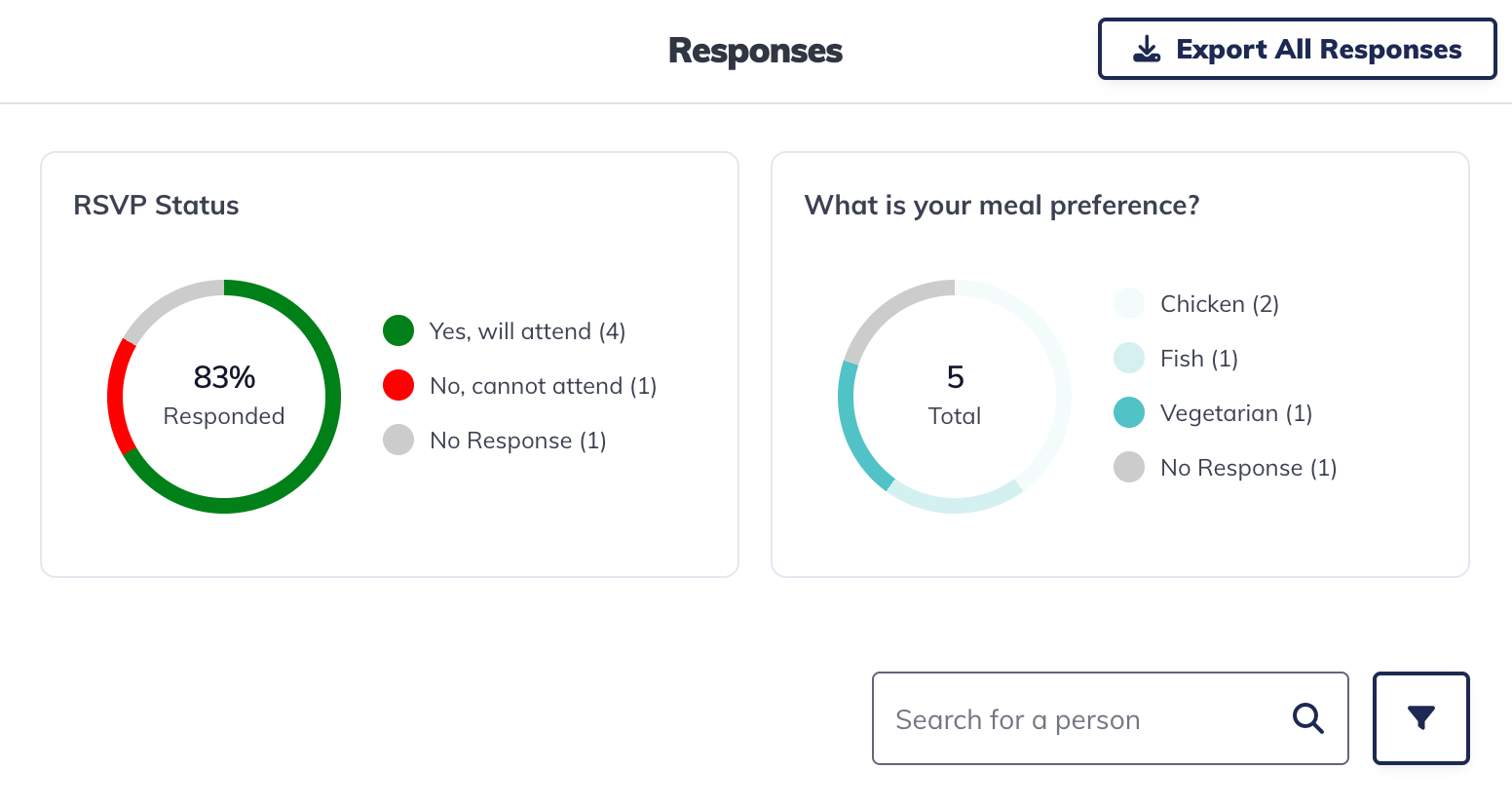
Built-in RSVP Tracking and Guest List Management
Honeyfund makes collecting RSVPs effortless—no spreadsheets, no manual updates, and no chasing down missing responses.
With Honeyfund’s RSVP features, you can:
Collect online RSVPs instantly
Track guest responses, meal choices, and +1s
Log invitations, households, and special notes
Manage your entire guest list from a single dashboard
Export RSVPs for seating charts or vendor planning
Notify guests of schedule changes or reminders
One Link to Share Everywhere (QR, social, SMS)
Your Honeyfund wedding website generates one simple link—making it easy for guests to find your details, RSVP quickly, and browse your registry.
You can share it via:
Your save-the-dates and printed invitations
A custom QR code
Email signatures or group messages
Instagram, Facebook, TikTok, or Threads
Your wedding planner or vendor communications


How to Make a Wedding Website with RSVP on Honeyfund (Step-by-Step)
Step 1 — Create Your Free Honeyfund Account
Sign up with your names, wedding date, and a few basic details.
CTA: Create Your Honeyfund Website
Step 2 — Choose Your Website Template
Select a theme, upload your photos, personalize your colors, and add your love story, event details, and travel information.
Step 3 — Turn On RSVP Tracking
Navigate to the RSVP section and activate guest responses. Add your guest list or upload it from a spreadsheet.
Step 4 — Customize RSVP Questions
Attendance
Meal selections
+1 details & child attendance
Dietary restrictions / special notes
Step 5 — Share Your Website Link
Send your link or QR code to guests. RSVPs begin populating instantly.
FAQs About Making Wedding Websites with RSVP
-
Honeyfund offers a completely free wedding website builder with built-in RSVP tracking, templates, and a guest list manager—no upgrades required.
-
Yes. Honeyfund allows you to customize RSVP questions to collect meal options, +1 names, dietary notes, childcare needs, and more.
-
No. Guests simply click your link, enter their names, and submit their RSVP instantly.
-
Yes. You can export your full guest list to use for seating charts, planning, and vendor coordination.
-
Absolutely. Add a schedule, hotel blocks, transportation details, maps, registry links, and FAQs.
-
Yes — you can link to Target, Amazon, Crate & Barrel, and any traditional store registry.
Tips for Getting RSVPs Back Fast
Add your website link to your save-the-dates
Include your QR code on printed invites
Send a gentle RSVP reminder halfway through the response window
Put everything guests need in one place: travel, schedule, FAQ
Use a clear RSVP deadline